

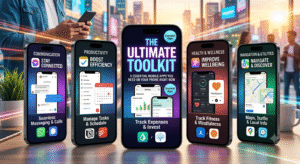
We’ve all been there: scrolling through endless app store pages, downloading five different tools that promise to “organize your life,” only to delete four of them a week later.
Finding software that actually adds value to your daily routine can feel like searching for a needle in a digital haystack. To save you the headache, we’ve rounded up five standout, everyday app categories that deliver genuine utility, streamline your workflow, and reclaim your screen time.
1. Smart Notes: Obsidian (for your digital brain)
If your current notes app is an endless, messy wall of unorganized thoughts, it’s time for an upgrade.
-
Why it shines: Unlike standard text apps, Obsidian works like your brain does—by linking thoughts together. It operates on local text files, meaning you retain 100% ownership of your data without relying on external cloud servers.
-
Best feature: Graph View, which visually maps out how your notes, ideas, and tasks connect to one another over time.
Pro Tip: Use double brackets
[[Like This]]to instantly cross-reference concepts between daily journals and project notes.
2. Pocket Finance: YNAB (You Need A Budget)
Managing personal finances shouldn’t feel like doing taxes. Instead of simply telling you where your money went after the fact, YNAB flips the script by helping you plan where every dollar goes before you spend it.
-
Why it shines: It operates on a zero-based budgeting system, meaning every dollar in your bank account gets assigned a specific job (rent, groceries, emergency fund).
-
Key takeaway: It helps eliminate the “can I afford this?” anxiety by giving you direct clarity on your disposable income.
3. Focus & Productivity: Forest
Struggling to stay off your phone while studying, working, or trying to relax? Forest turns focus into an interactive game.
-
How it works: When you need to concentrate, you plant a virtual seed. As you stay on task without leaving the app, your tree grows. If you exit to scroll social media, your tree dies.
-
Real-world impact: The developers team up with a real-tree-planting organization (Trees for the Future), allowing you to spend virtual coins earned from focusing to plant actual trees on Earth.
4. Audio Learning: Snipd
Love podcasts but hate losing track of key takeaways while driving, running, or cooking?
-
Why it shines: Snipd uses smart AI tools to transcribe audio on the fly. With a single tap of your headphones, it captures the last 30 seconds of what you just heard, transcribes it, and exports it straight to your favorited note-taking app.
-
Best for: Lifelong learners, students, and professionals trying to absorb non-fiction podcasts efficiently.
5. Daily Wellness: Finch
Self-care apps often feel like a chore or send guilt-inducing notifications. Finch takes a delightfully gentle approach by combining habit tracking with a Virtual Pet system.
-
Why it shines: Taking care of your mental health (drinking water, taking a 2-minute breather, writing three things you’re grateful for) energizes a little pet bird that goes on daily adventures.
-
Vibe: Low pressure, highly encouraging, and uniquely rewarding for building micro-habits.
Quick Comparison: Which One Do You Need First?
| Need | Recommended App | Key Benefit |
| Brainstorming & Knowledge Base | Obsidian | Complete data control & visual note-linking |
| Budgeting & Savings | YNAB | Proactive financial planning |
| Digital Detox & Focus | Forest | Gamified focus with real-world environmental impact |
| Smart Podcast Notes | Snipd | One-click audio bookmarking and summaries |
| Habits & Mental Health | Finch | Self-care powered by gamified positive reinforcement |
Final Thoughts
You don’t need a hundred apps to make your smartphone “smart.” Concentrating on a few well-designed, purpose-driven tools will always outperform a home screen packed with clutter. Try picking just one area from the list above to optimize this week and see how much time you save!
What’s one app on your phone you genuinely couldn’t live without? Let us know in the comments below!
#AppRecommendations #ProductivityApps #TechTips #DigitalMinimalism #SmartTools #LifeHacks #MobileApps #FocusTools #AppStoreFinds #TechBlog