

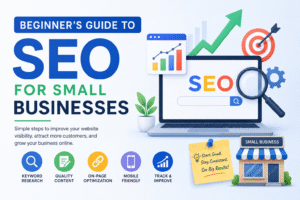
Beginner’s Guide to SEO for Small Businesses
In today’s competitive digital landscape, simply having a website isn’t enough. If your customers can’t find your business on Google, you’re missing out on valuable traffic, leads, and sales. That’s where Search Engine Optimization (SEO) comes in.
SEO is the process of improving your website’s visibility in search engine results, helping potential customers discover your business when they’re searching for products or services you offer. The best part? SEO can drive consistent, organic traffic without the ongoing costs of paid advertising.
What Is SEO?
SEO (Search Engine Optimization) is the practice of optimizing your website so it ranks higher on search engines like Google, Bing, and Yahoo. When your website appears on the first page of search results, you’re more likely to attract visitors and convert them into customers.
For small businesses, SEO is one of the most effective ways to compete with larger companies and establish a strong online presence.
Why SEO Is Important for Small Businesses
Here are some key benefits of SEO:
- Increases website traffic
- Improves online visibility
- Builds trust and credibility
- Generates qualified leads
- Enhances user experience
- Delivers long-term marketing results
- Helps local customers find your business
Unlike paid ads, SEO continues to deliver value over time, making it a smart investment for businesses of all sizes.
Step 1: Find the Right Keywords
Keywords are the words and phrases people type into search engines.
Examples include:
- “best website design company”
- “small business SEO services”
- “affordable digital marketing”
- “local web design agency”
Use keyword research tools like Google Keyword Planner, Ahrefs, or SEMrush to discover what your audience is searching for.
Focus on:
- Relevant keywords
- Long-tail keywords
- Local search terms
- Low-competition opportunities
Step 2: Optimize Your Website Content
Content is the foundation of successful SEO.
Create pages and blog posts that answer common customer questions and provide useful information. Include your target keywords naturally throughout your content while maintaining readability.
Best practices:
- Write clear and engaging content
- Use descriptive headings
- Include internal links
- Add optimized images
- Update outdated content regularly
Remember, your content should be created for people first and search engines second.
Step 3: Improve On-Page SEO
On-page SEO involves optimizing elements directly on your website.
Title Tags
Create compelling page titles that include your main keyword.
Meta Descriptions
Write concise summaries that encourage users to click on your website in search results.
URL Structure
Keep URLs short, clean, and descriptive.
Example:
- Good: yourwebsite.com/seo-for-small-business
- Bad: yourwebsite.com/page123?id=456
Header Tags
Use H1, H2, and H3 tags to organize your content and improve readability.
Step 4: Focus on Local SEO
Local SEO helps businesses attract customers from nearby locations.
To improve local rankings:
- Create and optimize your Google Business Profile
- Add your business to online directories
- Encourage customer reviews
- Use location-specific keywords
- Keep your business information consistent across all platforms
Local SEO is especially important for restaurants, agencies, retail stores, and service-based businesses.
Step 5: Make Your Website Mobile-Friendly
A large percentage of searches happen on mobile devices.
Your website should:
- Load quickly
- Adapt to different screen sizes
- Have easy-to-click buttons
- Provide a smooth user experience
Google prioritizes mobile-friendly websites, making this a crucial SEO factor.
Step 6: Improve Website Speed
Slow websites frustrate visitors and negatively impact search rankings.
Ways to improve speed:
- Compress images
- Enable caching
- Use reliable hosting
- Minimize unnecessary plugins
- Optimize website code
A faster website improves both user experience and SEO performance.
Step 7: Publish High-Quality Content Regularly
Fresh content signals to search engines that your website is active and relevant.
Content ideas include:
- Blog articles
- Industry news
- How-to guides
- FAQs
- Case studies
- Customer success stories
Consistent publishing helps build authority and attract more organic traffic.
Step 8: Build Quality Backlinks
Backlinks are links from other websites pointing to your site.
They act as votes of confidence and can improve your search rankings.
Ways to earn backlinks:
- Guest blogging
- Creating valuable resources
- Partnering with local businesses
- Publishing original research
- Sharing expert insights
Focus on obtaining links from reputable websites in your industry.
Step 9: Track Your SEO Results
Monitor your performance using tools such as:
- Google Analytics
- Google Search Console
- Ahrefs
- SEMrush
Track metrics like:
- Organic traffic
- Keyword rankings
- Click-through rates
- Bounce rates
- Conversions
Regular analysis helps you identify what’s working and where improvements are needed.
Common SEO Mistakes to Avoid
Many beginners make these mistakes:
- Keyword stuffing
- Publishing thin content
- Ignoring mobile optimization
- Using duplicate content
- Neglecting local SEO
- Buying low-quality backlinks
- Failing to track performance
Avoiding these errors can help your website achieve better rankings and sustainable growth.
Final Thoughts
SEO may seem overwhelming at first, but small businesses can achieve excellent results by focusing on the fundamentals. Start with keyword research, create valuable content, optimize your website, and continuously monitor your performance.
With patience and consistency, SEO can become one of your most powerful tools for attracting customers, increasing visibility, and growing your business online.
#SEO #SmallBusinessSEO #DigitalMarketing #SearchEngineOptimization #LocalSEO #GoogleRanking #WebsiteTraffic #ContentMarketing #OnlineMarketing #SEOTips #BusinessGrowth #OrganicTraffic #MarketingStrategy #LeadGeneration #WordPressSEO #WebsiteOptimization #GoogleBusinessProfile #SmallBusinessMarketing #SEOForBeginners #Entrepreneurship